Quoted four hours. Took six. Now you know.
Ribbon is a timer for jobs. Each step of a job has the time you allowed for it; you start the step when you start, and it keeps the time while you work. At the end, the job shows allowed against actual and what you really made an hour. That's how next month's quote gets better.
Start the step. Work. Tap when you're pulled away.
Nothing to fill in during the day. The phone does the remembering.
Morning: open the job
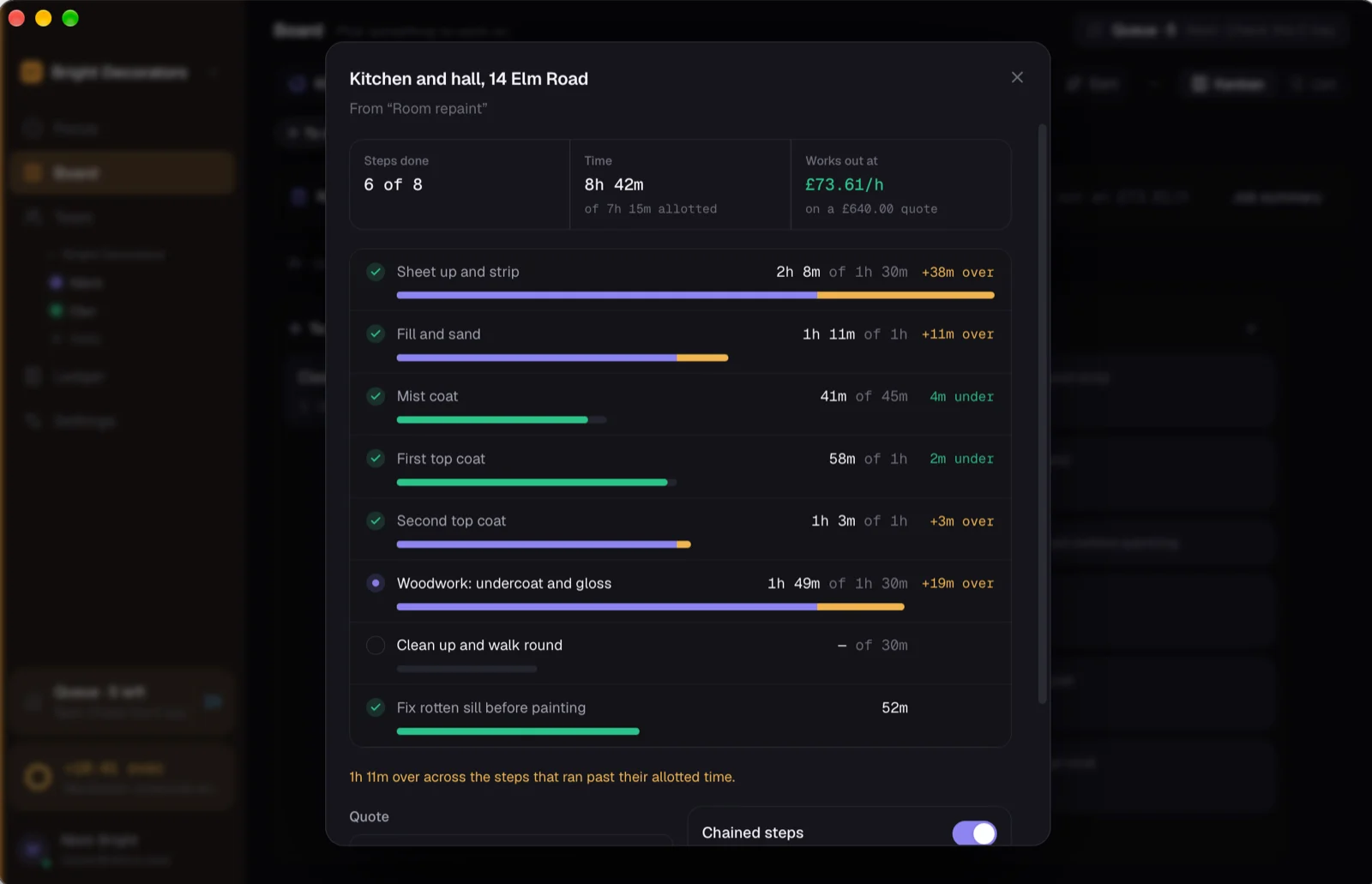
A job is a list of steps with the time you allowed for each: strip, fill and sand, mist coat, two top coats. Make it from a preset once, reuse it on every similar job, or type it in the van.
On the tools: one tap per step
Start the step and the ring runs. The customer wants a chat, the merchant run takes forty minutes: one tap, pick a reason, and it's a notch on the ring, kept apart from the work. End the step and the next one's ready.
Evening: the job tells you the truth
Allowed against actual on every step, the hours the job really took, and what the price works out at an hour. Day rate or fixed price, it's the same sum. Invoice the way you always do.
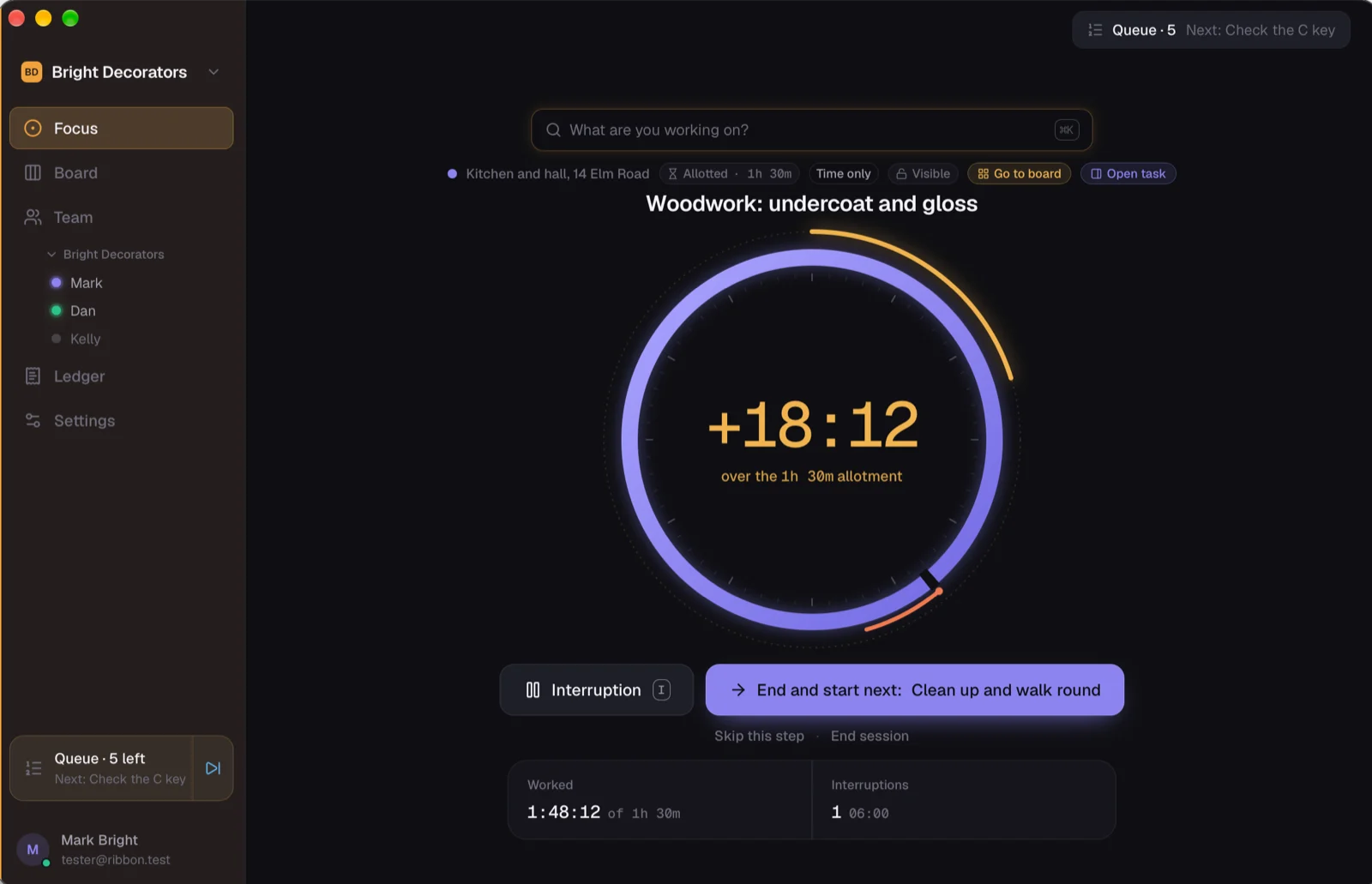
Give a step the time you allowed. The ring says when you're past it.
Start a step with its allowance and the ring fills toward it. Go over and an amber arc carries on outside the ring, so you know on the day, not on the invoice. Nothing stops you; it just doesn't let you kid yourself.
Prefer short blocks with breaks? That's there too. Prefer an open clock that just counts? Also there. The job sums them all the same.
The number that changes your quotes.
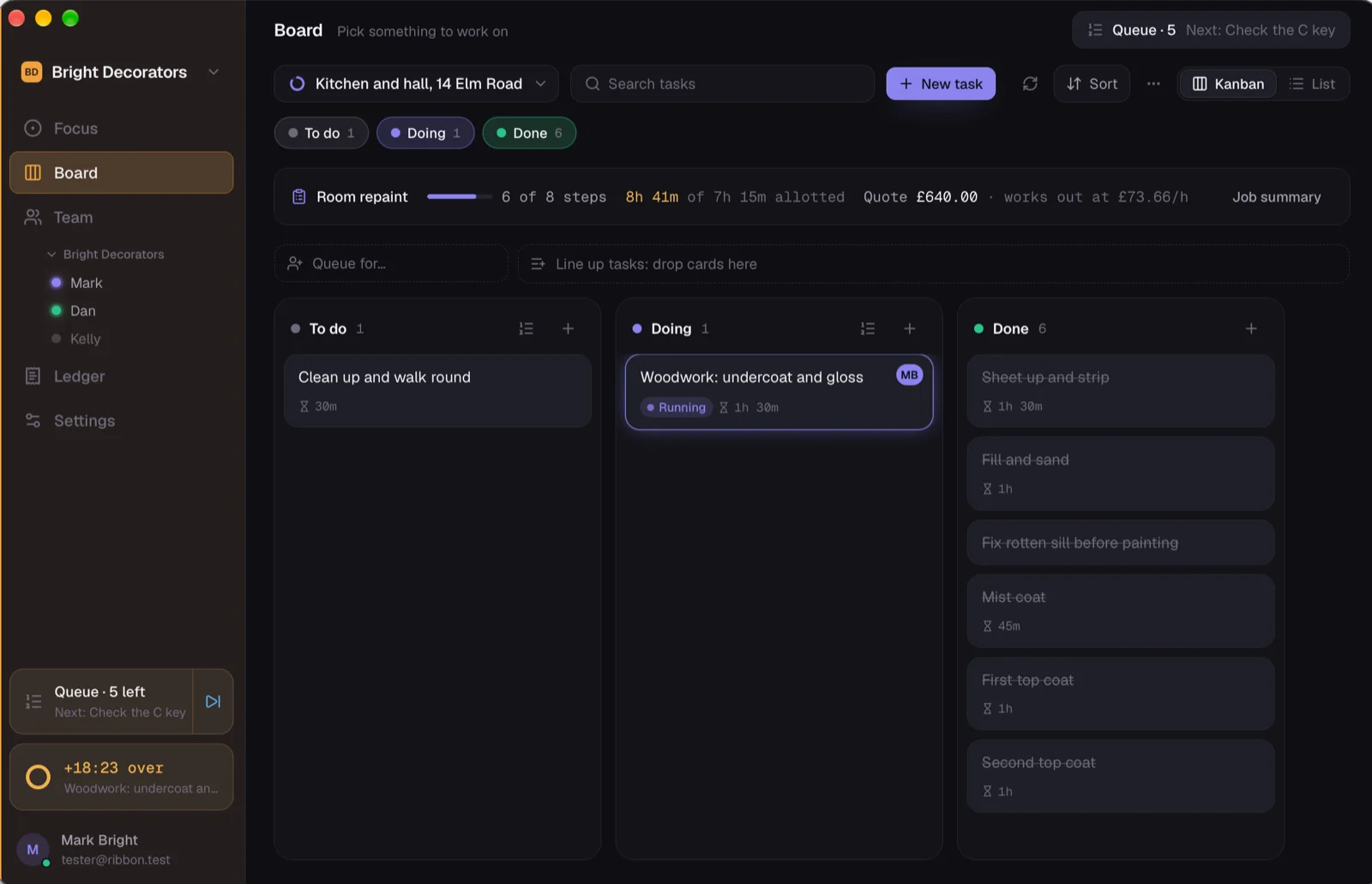
Most people know roughly which jobs lose them money. Ribbon makes it exact: this step always runs over, this kind of house always takes a day longer, this customer costs an hour of chat.
Time-only boards for work you don't bill by the hour, so the app never nags about rates. Money appears only on a job that has a price.
Presets for the jobs you do all the time.
"Replace a toilet" comes built in as an example. Make your own: a decorator's room repaint (strip, fill and sand, mist coat, two top coats), a spark's consumer unit swap (isolate, strip out, fit, test, certificate), a plumber's bathroom first fix (set out, pipework, pressure test), a tiler's floor (prep, lay, grout, seal). Steps, allowed time, done.
Interruptions counted, not lost.
Every notch has a reason. At the end of the month you can see how much of your week was merchant runs and phone calls, and price for it.
For the firm.
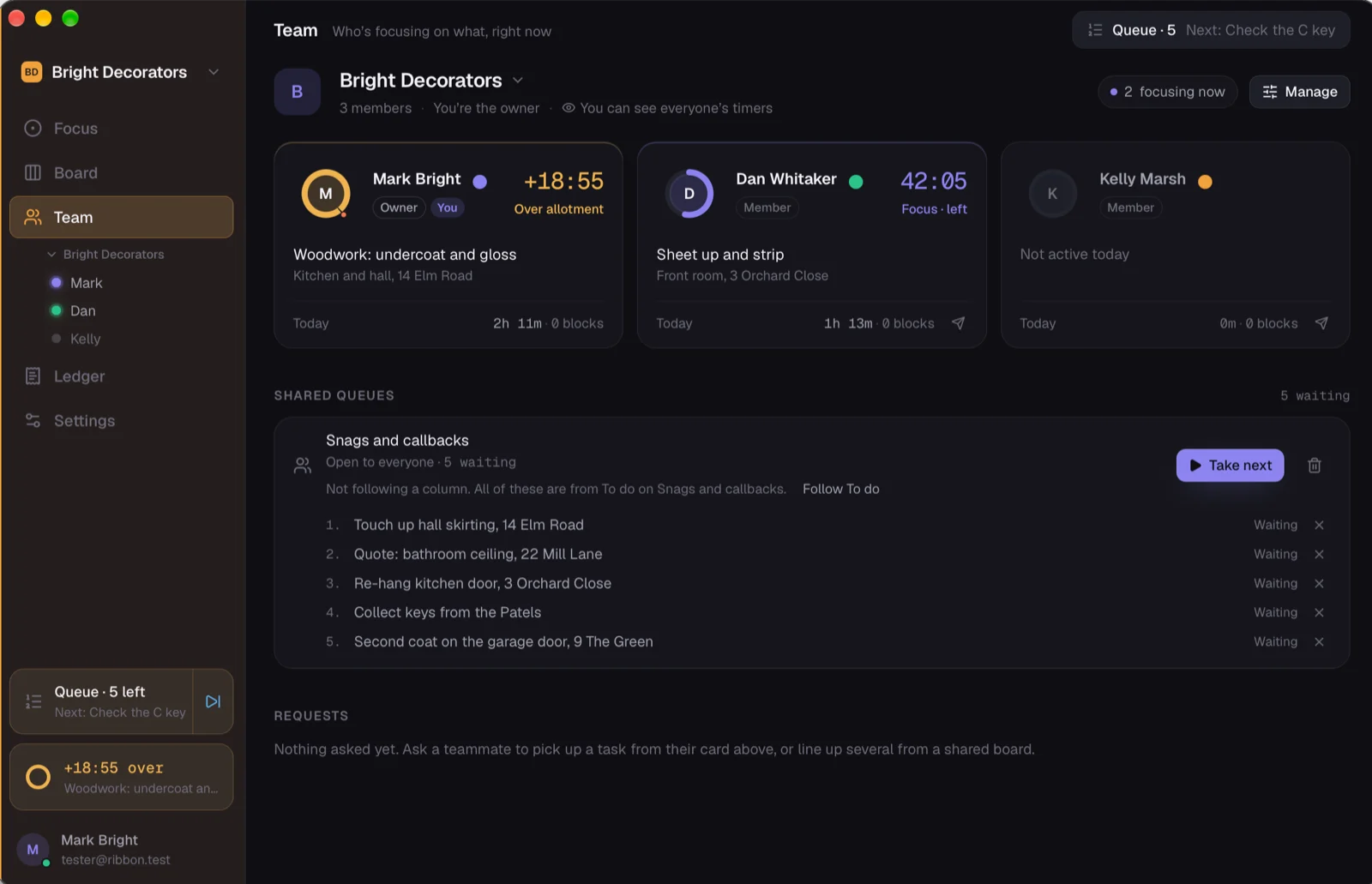
A space for the company: the lads each run their own timer on their own phone, the job adds everyone's time up, and whoever runs the office sees where every job is without ringing anyone. Each person's time stays theirs on the ledger.
Works with your job app. planned
ServiceM8 and Fergus first: the job comes across with its quoted hours, the time goes back as the job's time entries, the invoice there sees the real hours. Tradify has no public way in; we'll meet it through Xero.
Arrive on site, the timer offers to start. planned
On the phone, with your permission, and only ever an offer. Ribbon never starts a timer by itself.
The phone on site. The Mac at the desk. One account.
Start a step on the phone in the morning, see the job on the Mac in the evening. The same timer, the same job, kept in step through Ribbon's hub.
If you're a one-person outfit, that's all there is to it. If there's a few of you, each person has their own timer and the job adds everyone's time up.
iPhone
Installed through Apple's TestFlight while it's early access. Timer, jobs and the ledger are there; a few things the Mac does are still on the way.
Mac
The full thing: menu-bar timer, every job and board, the ledger, Reminders and Calendar if you use them.
Android and Windows
Later. If you're on Android, say so on the form; it tells us how many of you there are.
Free while it's early. Cheap after.
The timer and the jobs are free. The paid part is when you want it talking to your invoicing or your job app, and that'll be a few pounds a month, less than a tin of good paint.
Ask for a seat. We'll send you the links.
Leave your email and what you do, and you'll get a sign-in, the iPhone link and the Mac download, usually the same day.